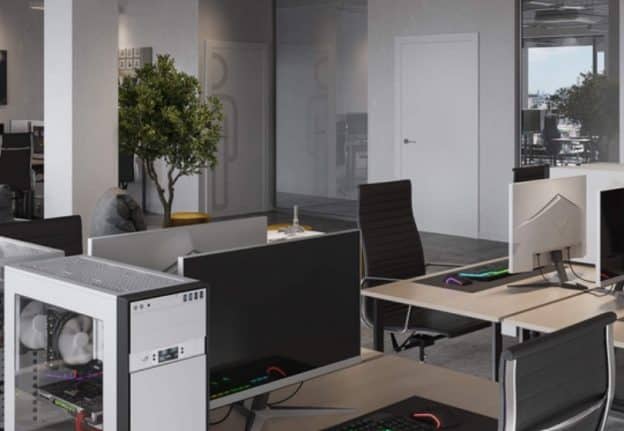
Planning out or leasing office space is a balance between many stakeholders, redesign iterations, and poor layout issues. Office managers, CRE teams, and tenant reps all require clarity to make quick and sure decisions, which in turn reduces the back-and-forth delays that stall fit-out projects. To that end, what has proven very useful is 3D office rendering.
From fast-track approvals to better space planning, high-quality office visuals make complex layouts a reality even before the first desk is put in. This article puts forth practical applications of 3D renderings in office leasing and fit-outs, which also include tips, checklists, and a mini case study of “with and without” 3D visuals.
Why 3D Office Renderings Matter in CRE and Fit-Outs
When there are many stakeholders, what is put forward in writing or drawn out in 2D may be open to interpretation. What is left out can cause redesign, which in turn leads to change orders, which are costly, and also delays in going live are seen. 3D office depictions that are very realistic do well in this regard.
- Clarify office layout
Virtual walks through the office can be done for all. - Speed up stakeholder approval
Decisions on plans are made faster when real-world visuals are presented. - Reduce redesign cycles at early stages
Issues like poor furniture arrangement or empty space will be noticed. - Increase lease interest
It is seen that that which is equipped with 3D visual elements draws out more responses, and also that which is put forward to the public is found to be of greater confidence to tenants.
Working with specialists such as ArchiCGI in the 3d rendering office projects can transform basic floor plans into very detailed and photorealistic images, which in turn makes the approval process faster and layout decisions easier to make.
Practical Tips for Using 3D Office Renderings
Here is a guide that has been put together that is simple and practical on how to integrate 3D renderings into office planning workflow:
Start Early in the Planning Phase
Do not wait till the build starts. 3D visuals are seen as a tool to inform decisions on:
- Desk density and meeting rooms
- Circulation paths and collaboration spaces
- Lighting, finishes, and branding elements
Include Stakeholders Virtually
Share 3D renders with. Present 3D models to:
- Internal decision-makers (management, HR, IT)
- Tenant reps or brokers
- Fit-out contractors and architects
Virtual tours reduce back and forth and speed up approvals.
Use 3D to Test Layouts
Before going into furniture, partitions, or zones:
- Rotate, move, or scale elements in the render.
- Review past and present layouts to determine efficiency.
- Identify issues of congestion or unused areas.
Keep Renders Updated
Whenever projects change, update the 3D models. To keep all team members in the loop, which in turn prevents costly miscommunications during construction.
Office Planning Checklist with 3D Visualization
Use this guide to include 3D renderings in the office leasing or fit-out process:
- Identify all parties that have an interest in layout approvals.
- Provide blueprints to the 3D rendering provider.
- Review 3D models aimed at circulation, lighting, as well as furniture placement.
- Share virtual walkthroughs by means of decision-makers.
- Update to follow in the least layout changes.
- Use images in lease listings as well as internal presentations.
- Store final renders aimed at future planning or portfolio use.
Mini Example: “With vs. Without 3D Office Visuals”
Without 3D visuals
- Tenant reps review of 2D plans only.
- Stakeholders present changes at the first walkthrough.
- Redesign of loops is a project delayed by several weeks.
With 3D Visuals
- Decision makers are presented with a realistic office layout.
- Potential issues spotted early: e.g., small meeting rooms, tight circulation.
- Layout, which is approved in days, the process is sped up, and construction revisions are reduced.
This is why a 3D office render service is a game changer for leasing and fit-out planning.
Common FAQs on Office 3D Rendering
What is the cost of a typical 3D office render?
Costs do vary by size, detail, and realism. Also, most CRE teams see that the ROI in faster approvals and fewer redesign cycles is greater, which in turn justifies the cost.
Can 3D visualizations play a role in tenant leasing?
Yes. Tenants are apt to do so when they are able to picture the space before they visit.
How precise are 3D office models in construction?
High-quality 3D renderings that present true-to-scale dimensions, furniture arrangements, and finishes. They support instead of supplanting technical construction drawings.
How much time does it take to produce 3D office visualizations?
Generally between 1 and 3 weeks, which varies by project complexity, floor area, and number of revisions.
Do stakeholders approve of 3D renderings?
Absolutely. Presenting the space out in visual form reduces confusion, shortens approval cycles, and also avoids costly changes down the road.
Are 3D renderings of use to remote decision makers?
Virtual walkthroughs also include on-site, which allows out-of-town stakeholders to experience the layout as if they were right there.