
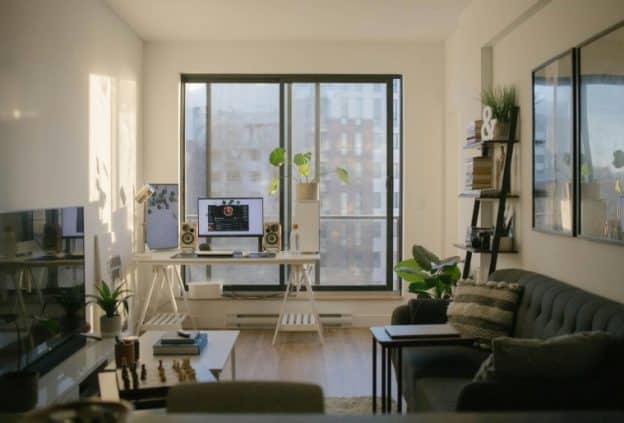
The way homes are designed has shifted alongside how people work. Remote and hybrid work are no longer temporary arrangements, they are built into long-term housing decisions.
A significant portion of the workforce continues to work remotely at least part of the week, which has direct implications for how new homes are planned.
For builders and homeowners, the question is no longer whether to include a workspace, but how to integrate it in a way that supports consistent, professional use. This requires thinking beyond spare rooms and temporary setups. The most effective home offices are planned at the same stage as kitchens, bathrooms, and structural systems.
Designing Homes Around Work: Layouts That Support Remote Productivity
Different house designs support remote work in different ways. The key factor is not size, but how space is organized and separated.
Double Storey Layouts
Double storey house designs are one of the most effective formats for integrating a home office. The main advantage is vertical separation, which allows work and living functions to operate independently.
In practice, this often means placing the office either near the entrance on the ground floor for accessibility, or on the upper floor to create distance from shared living areas. This separation reduces noise, improves focus, and allows for more structured daily routines.
It also creates practical advantages during construction. Electrical wiring, data cabling, and router placement can be distributed across floors, reducing congestion in a single zone. This matters when multiple devices are running simultaneously, particularly during video calls or file transfers.
From a usability standpoint, double storey homes are more adaptable to households where more than one person is working remotely.
Single-Level Homes with Zoned Layouts
Single-level homes can support remote work effectively, but only if zoning is carefully planned.
Without vertical separation, noise and movement become the primary constraints. A workspace placed too close to the kitchen or living room quickly becomes unusable during calls or focused work sessions.
Successful layouts address this by placing offices at the edge of the home, often near the entrance or in a low-traffic wing. Builders are also incorporating subtle structural adjustments, such as thicker internal walls or offset room positioning, to reduce sound transfer.
The limitation of single-level designs is that they rely heavily on layout precision. Small planning mistakes can significantly affect usability.
Flexible Floor Plans with Dedicated Office Capability
Many new builds now include flexible rooms designed to serve multiple purposes. While this approach reflects changing lifestyle needs, flexibility only works if the room can function as a complete workspace when required.
That means planning for power, connectivity, and lighting from the outset. A room that lacks sufficient outlets or has poor natural light orientation will not perform well as an office, regardless of how it is marketed.
In practice, the most effective “flexible” spaces are those that can operate as a full office without modification, even if they are occasionally used for other purposes.
Infrastructure Considerations When Building a Home Office
A well-designed room does not automatically translate into a functional workspace. Infrastructure is what determines whether the space can support real work demands.
Internet and Connectivity Planning
Reliable internet is the foundation of any home office. Broadband standards have shifted toward higher expectations, with many providers offering 100 Mbps or more. However, availability still varies by location, particularly in suburban and rural areas.
For new builds, connectivity should be verified before construction begins. Fiber availability, provider options, and installation timelines all affect how quickly a workspace becomes operational.
At the construction stage, wiring decisions matter. Running Ethernet cables to the office location provides more stable performance than relying entirely on Wi-Fi. Router placement should also be considered early, rather than added after the fact.
Electrical Capacity and Equipment Setup
Home offices require more power than traditional residential rooms. Multiple monitors, computers, and networking devices can quickly exceed standard outlet capacity.
Planning for this during construction avoids retrofitting later. This includes installing additional outlets, ensuring proper circuit distribution, and allowing space for equipment such as routers and backup power units.
A typical modern setup includes several devices running simultaneously, and the electrical system needs to support that load consistently.
Acoustic and Environmental Control
Noise is one of the most common issues in home offices. In new builds, this can be addressed through material and layout decisions rather than after-the-fact fixes.
Key considerations include:
- Using solid-core doors instead of hollow ones
- Adding insulation to office walls
- Positioning the office away from high-traffic areas
Environmental factors also play a role. Natural light improves comfort, but direct sunlight can create glare on screens. Window placement and orientation should be considered during design, not adjusted later.
Integrating Workspaces Without Disrupting Living Space
A common challenge in new home builds is balancing workspace functionality with overall living quality. An office that dominates the layout or interrupts flow can reduce the usability of the entire home.
Effective integration focuses on maintaining clear boundaries between work and living areas. This is particularly important in open-plan designs, where space is shared and transitions are less defined.
In practical terms, this means ensuring that the office does not sit directly within primary circulation paths or overlap with key living zones. Privacy is also a factor. Even in smaller homes, the workspace should allow for uninterrupted calls and focused work.
Long-Term Flexibility and Changing Work Patterns
Work patterns continue to evolve, and home design needs to account for that. Some homeowners may shift between remote and hybrid work, while others may change roles entirely.
Designing for flexibility does not mean sacrificing functionality. Instead, it involves making decisions that allow the space to adapt without requiring structural changes.
Key planning points include:
- Avoiding overly fixed layouts that limit future use
- Ensuring that infrastructure supports multiple configurations
- Allowing rooms to transition between functions without major disruption
This approach reduces the risk of the workspace becoming outdated as work habits change.
The Cost of Poor Planning
When workspaces are not properly integrated during construction, the consequences are often immediate.
Homeowners may experience reduced productivity, ongoing technical issues, or the need for expensive modifications. In some cases, the home simply cannot support the level of work required, leading to relocation.
The cost is not only financial. Disruptions to work routines and performance can have long-term impacts, particularly for those relying on stable remote setups.
Treating the Home Office as Core Infrastructure
The shift toward remote work has redefined what a home needs to provide. A workspace is no longer an optional feature, it is part of the core infrastructure of modern living.
Integrating it effectively requires early planning, attention to layout, and a clear understanding of how the space will be used day to day.
New home builds offer the advantage of starting from a blank slate. When workspaces are designed as part of that foundation, rather than added later, the result is a home that supports both living and working without compromise.
