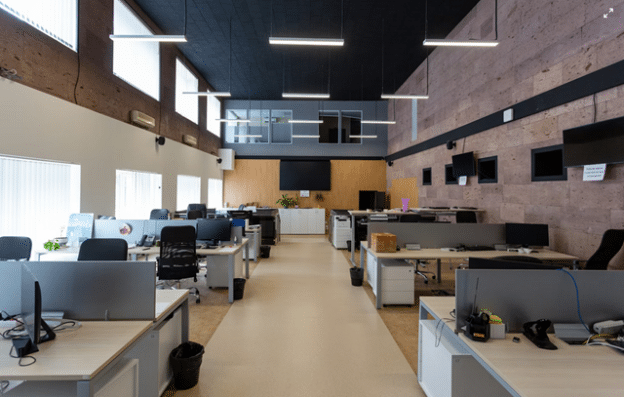
For decades, we treated productivity like a real estate problem. Add more desks. Upgrade the chairs. Knock down a wall. Install a kombucha tap. Surely, greatness would emerge from better lumbar support.
We optimized what we could see. Open plans versus cubicles, exposed brick versus whiteboard paint, collaboration zones with suspicious beanbags. We adjusted the physical environment and assumed output would follow.
But in 2026, work doesn’t just flow through hallways anymore. It also flows through browsers, forms, CRMs, repos, inboxes, dashboards, and whatever 47-tab monster your team calls a workflow. Your real floor plan is digital. And your real bottlenecks? Invisible, until they start bleeding hours across your org chart.
High-velocity organizations have stopped trying to solve operational friction with interior design. Instead, they are applying the principles of physical logistics to their digital infrastructure. This guide is a walkthrough of that modern workplace, reimagined, from the meeting room as a decision engine and the lobby as an automated intake system to the loading dock as a deployment pipeline.
Here is how to audit your digital floor plan to ensure your business moves faster than your elevator.
Optimizing the “Meeting Room”
In the physical office era, we tried to fix bad meetings by changing the furniture. We bought oval tables to “encourage hierarchy-free discussion.” We installed glass walls for “transparency.” We spent thousands on ergonomic chairs, hoping comfort would equal creativity.
It didn’t work. A boring meeting is just as soul-crushing in a Herman Miller chair as it is on a folding stool.
In a high-velocity company, the “meeting room” is a process, not a place. The efficiency metric here isn’t room occupancy; it is decision velocity. How quickly can a group of people align on a problem and agree on a solution?
The Fix: Turning Spectators into Participants
The biggest drag on meeting efficiency is passivity. One person talks for 45 minutes while ten people check their emails, waiting for the Q&A. You are burning expensive payroll hours on passive listening.
To fix this, smart organizations are restructuring the interaction itself:
- Enforce Live Interaction: Don’t wait until the end for questions. Use real-time polls or digital whiteboards every 10 minutes to force the room to engage. If they have to vote, they have to pay attention.
- The Silent Read Protocol: Amazon made this famous. Spend the first 15 minutes of the meeting reading a detailed memo in silence. This ensures everyone starts with the same context and cuts the “presentation” time to zero.
- The “Two-Pizza” Rule: If you can’t feed the meeting attendees with two pizzas, the group is too big. Smaller groups make faster decisions because there is nowhere to hide.
You can attempt to facilitate this manually with sticky notes and show-of-hands, but that often leads to messy data and lost momentum. To execute this effectively, you need a team collaboration platform like Beekast to structure the interaction.
Instead of static slides, you use it to create dynamic presentations where employees actively contribute to the decision-making process. This fosters collective intelligence by allowing the room to prioritize ideas, assign actions, and generate reports instantly, ensuring that a 60-minute booking actually yields 60 minutes of value.
Redesigning the “Sales Floor”
We used to design office layouts to minimize walking distance. We placed the sales team next to the marketing team to encourage collaboration. We built breakout rooms to speed up ad-hoc meetings. The logic was simple: physical proximity equals speed.
That logic fails in a modern workflow. Your sales team might sit three feet apart, yet they operate in isolation if their data lives in silos. A salesperson who has to toggle between four different tabs to find a customer’s phone number encounters more friction than one who has to walk across the building.
The Fix: Reducing Digital Drag
Efficiency experts now look at “click distance” rather than walking distance. How many steps does it take to move a lead from “interested” to “closed”? If your team uses a complex enterprise system that requires twelve required fields just to log a call, you have built a digital maze. They will avoid using it, data quality will drop, and forecasting will fail.
High-velocity teams prioritize simple CRM software like Pipeline CRM to solve this. By choosing tools that reduce administrative drag, you allow the rep to focus entirely on the conversation. A streamlined digital environment creates more actual collaboration than an open-plan office ever could. When the barrier to entry is low, the entire organization moves at the speed of the software, not the speed of the elevator.
Automating the “Digital Lobby”
Facilities managers spend millions designing impressive conference rooms to wow clients during onboarding. Yet, the number one complaint from service businesses isn’t about the meeting room chairs. It is about the “content bottleneck.”
This happens after the contract is signed. The agency or service provider is ready to start, but they are waiting for the client to send logos, login credentials, or bank statements. Projects stall for weeks, not because of a lack of talent, but because of a lack of input.
The Fix: Automated Follow-Up
You cannot drive to the client’s office and sit at their computer until they attach the files. You need a system that bridges the gap between the signed contract and the project start date without burning project management hours on “just checking in” emails.
Efficiency-minded companies are deploying dedicated client communication tools like Content Snare to automate the chase. These systems act as a relentless but polite project manager, automatically reminding clients to upload the necessary files into a secure portal. It turns a chaotic email thread into a structured checklist and ensures that your team spends their time doing the work instead of waiting for the materials.
Unclogging the “Loading Dock”
Every physical warehouse manager tracks “turnover time.” They know exactly how long a truck sits at the dock before it is unloaded and back on the road. A blocked loading dock freezes the entire supply chain.
In the knowledge economy, your “loading dock” is your deployment pipeline.
You might have a brilliant development team working in a state-of-the-art open-plan office. Yet, if they spend Friday afternoons manually uploading files to a server, your operational velocity hits a wall. You are effectively asking highly paid engineers to carry boxes by hand when they should be managing the logistics.
The Fix: The Push-to-Deploy Standard
To unclog the dock, you must treat deployment as a background utility rather than a manual event. You need a system that acts as an invisible conveyor belt, moving code from the repository to the live environment without human intervention.
You can achieve this by implementing automatic deployment using tools like DeployHQ. Instead of a developer manually logging in to move files, the system integrates directly with your Git provider (like GitHub or GitLab). It uses webhooks to detect when code is pushed, calculates the changes, and ships the update to the server instantly.
- Instant Trigger: A feature finished at 2:00 PM is live by 2:01 PM. The moment you push code, the deployment begins.
- Environment Sync: You can ensure your staging environment always runs the latest version of a specific branch without manual updates.
- Multi-Server Reach: You can deploy to multiple servers simultaneously, ensuring your entire infrastructure is updated in a single action.
Lighting Up the “Storefront”
Once the code ships, the efficiency metric shifts from “deployment speed” to “rendering speed.” In a physical headquarters, you want the automatic doors to open the moment a client steps onto the mat. On the web, you want the content to load before the user blinks.
Modern web frameworks often create a “heavy” storefront. They look sleek and interactive to human users, but they rely on complex JavaScript execution that can choke browsers and search bots. This destroys your “digital foot traffic.” You are effectively building a beautiful office that takes ten seconds to unlock.
The Fix: Solving the Rendering Bottleneck
You can spend weeks manually compressing images or removing unused CSS, but if your site relies on client-side rendering, you will still hit a ceiling. The browser simply takes too long to build the page.
To fix this, high-performance teams implement middleware solutions like Prerender to improve their Google PageSpeed score.
Instead of forcing the user’s browser (or a search bot) to do the heavy lifting, the middleware detects the bot’s request and forwards it to Prerender. The system then fetches your page, executes the JavaScript in a controlled environment, and returns a fully cached, static HTML DOM instantly.
This is one of the most effective ways to enhance your speed score because it directly targets the metrics that matter most:
- Largest Contentful Paint (LCP): The main content loads immediately because the DOM is pre-built.
- Cumulative Layout Shift (CLS): The static structure prevents elements from jumping around as they load.
- Time to Interactive: Users can click buttons instantly rather than waiting for the “lag” to clear.
By treating rendering as an infrastructure challenge rather than just a code challenge, you ensure your digital building is open for business the millisecond a visitor arrives.
Organizing the “Internal Mailroom”
In a physical office, a cluttered storage room or a messy mailroom was a localized problem. You could close the door and ignore it. In a digital environment, your storage room is your intake process, and if that process is broken, the mess spills into every department.
Most operational drag isn’t caused by a lack of effort; it’s caused by the “Digital Junk Drawer.” This happens when HR requests, facility tickets, and project briefs arrive through scattered Slack messages or unstructured email threads. Your team spends more time organizing the information and chasing missing details than actually fulfilling the request.
The Fix: Building a Structured Input Pipeline
To reclaim this lost time, you must stop treating intake as a conversation and start treating it as a gateway. You need a system that ensures information is complete and action-ready before it ever hits an inbox.
- Standardize the Input: You can set mandatory fields for project specs or maintenance details. This ensures the work is ready for execution the moment it arrives, eliminating the back-and-forth “clarification” emails that kill momentum.
- Reduce Submission Friction: Unlike clinical, complex enterprise forms, a streamlined tool allows for a better user experience. When a form is intuitive, adoption rates go up, and “shadow” requests (like the dreaded “hey, can you just do this quickly” Slack DM) go down.
- Logic-Based Routing: You can use conditional logic to ensure that a request for “New Hardware” goes to IT while a “Benefits Question” goes to HR, bypassing the general office manager’s inbox entirely.
Finalizing the Shift from Space to Speed
The most successful organizations have realized that physical space is a support system, not the engine itself. They have moved past the vanity metric of “square footage per employee” to focus on the only metric that drives revenue: process velocity.
By auditing your “click distance” as strictly as you once audited your floor plans, you create a workplace that is resilient to geography. When your intake is structured, your deployments are automated, and your meetings are centered on decision-making rather than attendance, the physical office becomes a high-value hub for connection rather than a mandatory warehouse for desks.