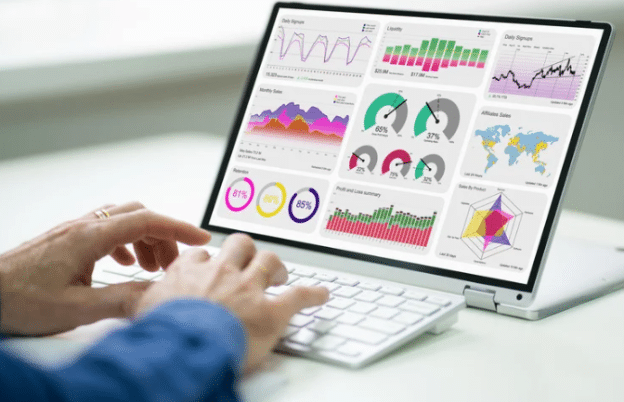
Power BI reports can answer many business questions, but someone still needs to open the report and analyze the data. An AI agent can reduce some of that manual work by helping users find insights and work with reporting data more efficiently.
The important part is deciding what the agent should actually do. It needs access to the right data, clear instructions, and limits around what it can return. Without those foundations, automation can create more confusion than value.
This guide explains how to build a Power BI agent for automated data analysis. We will cover architecture, data access, workflows, testing, security, and ongoing management.
What Is a Power BI AI Agent and How Does It Work?
A Power BI AI agent is an AI-powered system designed to work with business data and support analytical tasks. Depending on its setup, it can interpret questions, retrieve relevant information, analyze results, and return an answer to the user.
Understanding the User’s Request
The process usually begins with a question or instruction. A user might ask about monthly revenue, falling sales, or performance within a specific region. The agent needs to understand that request before deciding what data it needs.
Retrieving the Right Business Data
Once the request is understood, the agent needs a reliable way to reach relevant data. This may involve Power BI semantic models, APIs, databases, or other approved business sources. Access should follow the same security rules already applied to business reporting.
Returning an Answer or Insight
The agent can then use the available information to create an answer. Depending on the workflow, this could include a summary, comparison, trend, or another analytical result. The response should remain connected to the underlying data rather than relying on unsupported assumptions.
What You Need Before Building a Power BI Agent
An agent is only as useful as the reporting environment behind it. Before building anything, make sure the data, permissions, and intended use are clearly defined.
- Identify the business questions the agent should answer.
- Choose the Power BI datasets or semantic models it can access.
- Check that important measures and definitions are consistent.
- Define which users should have access to each data source.
- Decide which analytical tasks the agent can perform.
- Set limits for sensitive or restricted business information.
- Establish how responses and agent activity will be monitored.
How to Build a Power BI Agent Step by Step
Building the agent starts with a focused use case rather than a broad goal of automating analytics. Once that purpose is clear, you can connect the required systems and define how the agent should behave.
Start by choosing a reporting task that users already perform regularly. It could be checking sales performance, comparing actual results against targets, or summarizing weekly changes. A narrow first use case makes the agent easier to test and improve.
Next, connect the agent to the approved source of business data. The connection should preserve existing access rules instead of creating a separate path around them. Users should only receive information they are already allowed to view.
Finally, define how the agent should respond when it receives a request. Give it clear rules for calculations, missing information, and uncertain results. Test these instructions with different questions before making the agent widely available.
Connecting a Power BI Agent to Your Data
The quality of automated analysis depends heavily on the data the agent receives. A clear data layer helps the agent interpret questions consistently and return more reliable results.
Use a Reliable Semantic Model
A well-structured semantic model gives business data consistent meaning. Measures such as revenue, margin, and customer growth should already have agreed definitions. The agent can then work with established metrics instead of trying to interpret raw fields differently each time.
Control Data Access
Connecting an agent should not mean giving it unrestricted access. Permissions need to follow the user, role, and data involved in each request. Existing security controls can help prevent users from receiving information outside their allowed scope.
Give the Agent Enough Context
Data alone may not explain what a business metric means. The agent may also need context around metric definitions, reporting periods, relationships, and business rules. Better context reduces the chance of producing an answer that is technically possible but misleading.
Tasks a Power BI Agent Can Automate
Not every reporting task needs an AI agent. The strongest use cases usually involve repeated analytical work where users spend time finding, comparing, or explaining information.
- Answer common questions about business performance.
- Summarize changes across selected reporting periods.
- Compare actual results against targets or budgets.
- Identify unusual movements within selected business metrics.
- Break performance down by region, product, or department.
- Create short summaries of important dashboard changes.
- Help users locate relevant metrics without searching through several reports.
How to Test a Power BI Agent Before Deployment
A successful response to one question does not prove that an agent is ready for business use. Testing should cover accuracy, access, unclear questions, and situations where the required information is unavailable.
Test Analytical Accuracy
Start with questions where the correct answers are already known. Compare the agent’s response against existing Power BI measures and reports. Any difference should be investigated before users depend on the agent.
Test Different User Questions
People will rarely phrase the same question in exactly the same way. Test short questions, detailed requests, follow-up questions, and unclear instructions. The agent should ask for more information when it cannot safely determine what the user means.
Test Access and Failure Cases
Testing should also include requests users are not allowed to make. Check what happens when data is restricted, missing, delayed, or unavailable. A controlled failure is better than an answer built on incomplete information.
Power Bi Governance for AI-Powered Data Analysis
Power Bi governance becomes more important when AI can interact directly with business reporting data. Organizations need clear rules around access, approved sources, agent behavior, and how generated answers are handled.
Governance should start with the same access controls already protecting reporting data. An AI agent should not become a shortcut around permissions or expose information simply because a user knows how to ask for it. The user’s access should continue to determine what information can be returned.
Organizations also need visibility into how agents are being used. Logging requests, responses, data access, and important actions creates a clearer record when something needs investigation. These records can also help teams identify recurring problems and improve the agent over time.
Common Mistakes When Building a Power BI Agent
AI agents can make analysis faster, but poorly planned automation can also introduce new problems. Most issues can be reduced by starting with a limited scope and testing the system before wider deployment.
- Giving the agent access to more data than its use case requires.
- Starting with broad automation instead of one defined reporting task.
- Using poorly defined metrics across connected data sources.
- Allowing generated answers without checking their underlying data.
- Ignoring existing user roles and reporting permissions.
- Failing to test unclear, incomplete, or unusual user requests.
- Deploying the agent without monitoring how people actually use it.
Conclusion
Building a Power BI agent is not simply about connecting AI to a dataset. The agent needs a clear purpose, reliable business data, controlled access, and instructions that define how it should respond.
Start with a reporting task that already takes users time. Build the agent around trusted metrics, then test its answers against the reports your teams already use.
As adoption grows, keep reviewing accuracy, permissions, and user behavior. A well-managed agent can reduce repetitive analysis while still keeping people connected to the data behind each answer.