Have you ever asked yourself what happens when smart locks, video doorbells, or smart thermostats are added to a rental home?
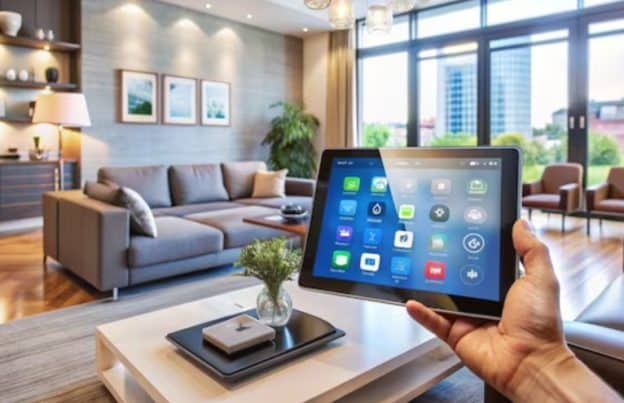
It is a fair question, especially now that more rental spaces include connected features that make daily life simpler and more comfortable. From adjusting room temperature on a phone to checking who is at the door, smart home tools are becoming part of modern renting in a very practical way.
In rental housing, the main point is not conflict. It is clarity. When everyone understands who manages the device, who can access settings, and how information is handled, smart home living feels smooth and easy. A clear setup helps renters feel comfortable in their space and helps property owners keep homes running well.
Smart home upgrades can fit rental living very well. The key is to treat them like any other part of the home: define who installed them, who uses them, what information they collect, and who can manage them during the lease. With a simple agreement and open communication, these tools can support comfort, safety, and convenience for everyone involved.
Why Smart Devices Are Becoming Common In Rentals
Smart home features are now part of everyday housing conversations. Renters often like practical tools that save time and help daily routines run better. Owners also like upgrades that help with maintenance, energy use, and access management.
In rentals, these upgrades usually include simple features such as:
- Smart thermostats.
- Smart locks.
- Video doorbells.
- Leak sensors.
- Smart lights.
- Connected smoke or safety alerts.
Smart Devices Often Serve Shared Goals
A renter may enjoy easier control over temperature, lighting, or entry. A property owner may appreciate easier maintenance checks, secure access during move-ins, or better awareness of system performance. In many cases, both sides benefit from the same device for different reasons.
That is why ownership and control should be discussed early. Once expectations are clear, smart upgrades become a useful part of the rental experience instead of a confusing one.
Clear Terms Make Smart Living Simpler
The most helpful rental setups usually answer a few simple questions at the start:
- Who bought the device?
- Who installed it?
- Who can log in to the account?
- Who receives alerts?
- What happens when the lease ends?
These details are easy to include in lease paperwork or an add-on document. Simple wording can keep everything organized from day one.
Who Owns The Data In A Smart Rental Home
When people talk about smart home data, they usually mean device activity such as temperature settings, lock activity, energy patterns, or notifications sent by the system. In a rental setting, ownership of this information often depends on how the device is set up and whose account is connected to it.
A useful way to think about it is this: the account holder usually has the main role in viewing and managing device information. If a device is linked to the owner’s account, that person may manage the settings and records. If it is linked to the renter’s account, the renter may have that access during the lease.
Account Access Usually Shapes Data Control
Smart devices often work through apps, and apps work through user accounts. That makes the account setup very important. The person whose email, phone number, or login is attached to the system usually controls what can be viewed and adjusted.
This is why it helps to separate property management tools from daily living tools whenever possible. A smart leak sensor tied to property upkeep may be managed one way, while smart lighting inside the unit may be left to the renter. A balanced approach can keep things clear and respectful.
Shared Understanding Matters More Than Assumptions
In rentals, the best results come from simple communication. If a device collects activity details, both sides should know what kind of information is involved and how it is used. Clear discussion supports trust and makes the entire setup feel more comfortable.
Here is a simple way to look at it:
| Device Type | Usual Main Purpose | Common Control Setup |
| Smart thermostat | Comfort and energy use | Shared or owner-managed |
| Smart lock | Entry management | Shared with clear access rules |
| Smart lights | Daily convenience | Usually renter-managed |
| Leak sensor | Home upkeep | Usually owner-managed |
| Video doorbell | Entry awareness | Depends on placement and account |
Who Controls The Devices During The Lease
Control is slightly different from ownership. A person may own the device but allow someone else to use it every day. In rental homes, control often means who can change settings, receive alerts, create codes, or connect the device to another app.
This part works best when each device has one clear role. If the device supports the renter’s everyday use, the renter should have easy access to the functions that matter in daily life. If the device supports building operations or maintenance, the owner may keep the main control while still explaining how it works.
Everyday Control Should Match Everyday Use
A renter living in the space should usually be able to use the features that affect comfort and routine. That may include changing room temperature, turning lights on or off, or using a smart lock code for entry. This creates a sense of ease and supports normal living.
At the same time, owners may keep access to functions tied to property care, scheduled servicing, or emergency support. When each feature has a defined purpose, the setup feels organized rather than complicated.
Move-In And Move-Out Should Include Device Handover
A smart rental home benefits from a simple handover process at the beginning and end of the lease. This can include:
- Listing all connected devices in the unit.
- Sharing instructions for daily use.
- Confirming who holds the admin account.
- Resetting access at move-out.
- Updating codes, passwords, or app permissions.
Building A Friendly And Clear Smart Rental Setup
The best smart rental experience is built on plain language and shared expectations. Smart home tools work very well when they are treated as part of the rental agreement, just like keys, appliances, or parking access.
A simple written note can cover who uses what, what information is visible, and how control works during the lease term. That keeps the setup practical and easy to follow.
A Simple Agreement Helps Everyone
A short smart device section in the lease can make a big difference. It can explain:
- Which devices stay with the property?
- Which devices belong to the renter?
- Who manages app access?
- How are updates or resets handled?
- What happens when the lease ends?
Smart Upgrades Can Fit Many Rental Styles
Connected features are no longer limited to one type of rental. They can be useful in apartments, townhomes, and even larger housing options such as condos for rent in bedminster. What matters most is setting up a clear system that respects the home, the resident, and the practical role of each device.
Final Thoughts
Smart home upgrades can work very well in rentals when data access and device control are clearly understood. In most cases, the smoothest setup comes from knowing who owns the device, who holds the account, and who uses the features every day. Once those points are defined, smart tools can support a comfortable and organized rental experience.